Analyzing uptime.do ...
Is uptime.do Down?
Free service for Uptime monitoring and status page appears to be a e-commerce website. StarNama monitors uptime.do for live uptime, response time, SSL status, server location, technology signals, and user reports so visitors can quickly understand whether the website is available or having access problems.
Strong public trust profile
Based on uptime history, speed, SSL, security headers, crawl signals, and public technical data collected by StarNama.
Not claimed yet
The owner can claim this profile to add more trust signals.
Telegram-ready alerts
Users can monitor this domain through the StarNama Telegram bot and receive alerts only when the status changes.
Current Live Status
uptime.do is UP
HTTP Code: 200 · Response Time: 2402 ms
Server & Domain Information
| Website | uptime.do |
|---|---|
| Title | Free service for Uptime monitoring and status page |
| Language | en-US |
| CMS / Platform | WordPress 7.1 |
| Category | E-commerce Website |
| Meta Description | Simple and reliable availability and performance monitoring solution with highly customizable and fast status pages. Free services and premium options. |
| Robots.txt | Detected |
| Sitemap | Detected |
| Server IP | 172.67.132.189 |
| Server Location | Canada, Toronto |
| SSL Status | Valid (Expires: Sat, 05 Dec 2026 17:27:47 +0000) |
| Screenshot |
Fetching screenshot of uptime.do... |
Website Intelligence Summary
Free service for Uptime monitoring and status page appears to be a e-commerce website. StarNama monitors uptime.do for live uptime, response time, SSL status, server location, technology signals, and user reports so visitors can quickly understand whether the website is available or having access problems.
- Website type: E-commerce Website
- Detected platform: WordPress 7.1
- Visible page content: 422 words detected on the homepage.
- Last intelligence refresh: 2026-09-14 09:15:20
- Fast analysis cache: Core signals are cached and refreshed automatically to make repeated checks faster.
Reputation & Improvement Signals
Positive signals
- Stable recent uptime history
- Valid SSL certificate detected
- robots.txt detected
- sitemap.xml detected
- STRICT-TRANSPORT-SECURITY header detected
Recommended improvements
- Response time is higher than ideal; consider server/CDN optimization
- Add Content-Security-Policy header
- Add X-Frame-Options header
Public API & Live JS Widget
The StarNama JS Widget helps website owners display a live embeddable status card directly on their website.
- Shows real-time website uptime status
- Displays response time and monitoring signals
- Automatic live online/offline updates
- Easy integration with a simple JavaScript snippet
Detected Technology Stack
Security & Access Signals
| strict-transport-security | max-age=15552000; includeSubDomains; preload |
|---|---|
| content-security-policy | Not detected |
| x-frame-options | Not detected |
| x-content-type-options | nosniff |
| referrer-policy | Not detected |
This section helps users understand whether common browser security headers are visible when StarNama checks uptime.do.
Monitoring Quality
Quality Score: 100/100
This page is still collecting monitoring history. Once enough unique data is available, it can be treated as a stronger public status report.
- Generated page body is still thin
StarNama Trust Score
This score combines uptime history, response speed, SSL/security signals, and the internal page quality score.
Embed Status Badge on Your Website
Display a premium live StarNama badge on your website with uptime status, response time, trust score and verification signals.
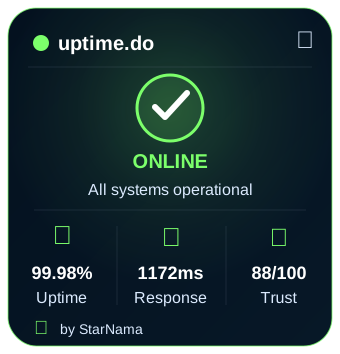
Live Widget Preview
StarNama Public Intelligence Directories
These public directory pages help users and search engines discover monitored websites by status, speed, security and trust signals.
Claim This Website
Are you the owner of uptime.do? Claim it to add official notes, improve trust signals, and keep this profile more accurate.
/starnama-verification.txt, /.well-known/starnama-verification.txt, or DNS TXT fallback.
Website Change History
-
2026-09-11 13:17:33:
ip changed from
104.21.5.17to172.67.132.189. -
2026-09-08 23:25:02:
ip changed from
172.67.132.189to104.21.5.17. -
2026-09-07 03:32:28:
ssl_expiry changed from
Wed, 07 Oct 2026 13:29:47 +0000toSat, 05 Dec 2026 17:27:47 +0000. -
2026-09-04 09:21:44:
ip changed from
104.21.5.17to172.67.132.189. -
2026-08-30 19:31:03:
ip changed from
172.67.132.189to104.21.5.17. -
2026-08-23 09:22:24:
ip changed from
104.21.5.17to172.67.132.189. -
2026-08-21 20:56:49:
ip changed from
172.67.132.189to104.21.5.17. -
2026-08-20 04:57:54:
ip changed from
104.21.5.17to172.67.132.189. cms changed fromWordPress 7.0.4toWordPress 7.1.
Historical Uptime Reports
Uptime (last 90 checks): 100%
Last Downtime: No downtime recorded
Average Response Time: 1677.37 ms
User Reports
uptime.do has been reported 0 times today.
Quick Vote
👍 0 users say it's working | 👎 0 users say it's not
Performance Metrics
Loading performance data for uptime.do...
Troubleshooting guide for uptime.do
If you are facing issues while trying to access
uptime.do , even though our system shows the website is online,
you can try the following step-by-step fixes.
Last checked from our server in
Canada, Toronto
at September 14, 2026, 9:33 am.
1- Clear Browser cookies and cached files
Old cookies or cached data may block connections to uptime.do . Clearing them often fixes login or page load errors.
2- Force a hard refresh
Try a hard refresh : press CTRL + F5 (Windows) or Cmd + Shift + R (Mac) to reload uptime.do from scratch.
3- Flush your DNS cache
DNS records may become outdated and prevent loading uptime.do. Here is how to refresh them:
On Windows:
- Press the Windows key, type cmd, right-click on Command Prompt and choose Run as administrator.
- Type
ipconfig /flushdnsand press Enter. - Wait for the confirmation message, then restart your computer.
On macOS:
- Open Terminal (Applications → Utilities → Terminal).
- Type
sudo killall -HUP mDNSResponderand press Enter. - Enter your administrator password if asked, then restart your Mac.
4- Restart modem and router
- Turn off your modem/router using the power button.
- Wait about 30 seconds, then turn it back on.
- Once your internet connection is fully restored, restart your computer and revisit uptime.do.
5- Try a web proxy
If you think your ISP is blocking uptime.do, you can test through an online proxy service :
- Search Google for “free web proxy service”.
- Select a trustworthy provider and enter the website address.
- Access uptime.do through the proxy interface to check if it loads.
6- Use a VPN
In some cases, access to uptime.do may be restricted by region or blocked by your ISP. A VPN hides your real IP address and lets you browse as if you are in another location.
Popular VPNs you can try include :
- NordVPN
- ExpressVPN
- CyberGhost
Install the VPN of your choice , connect to a server , and then try opening uptime.do again.
Related Website Status Checks
Explore other recently monitored websites and compare their live availability, response time and server signals.
FAQ about uptime.do
Q: Is uptime.do down right now ?
A: Our system reports: UP.
Q: Why is uptime.do not loading ?
A: Possible ISP block, DNS error, or server Downtime.
Q: How can I check Uptime again ?
A: Refresh this page or recheck in the form above.
Q: Does uptime.do have SSL ?
A: Valid (Expiry: Sat, 05 Dec 2026 17:27:47 +0000).